


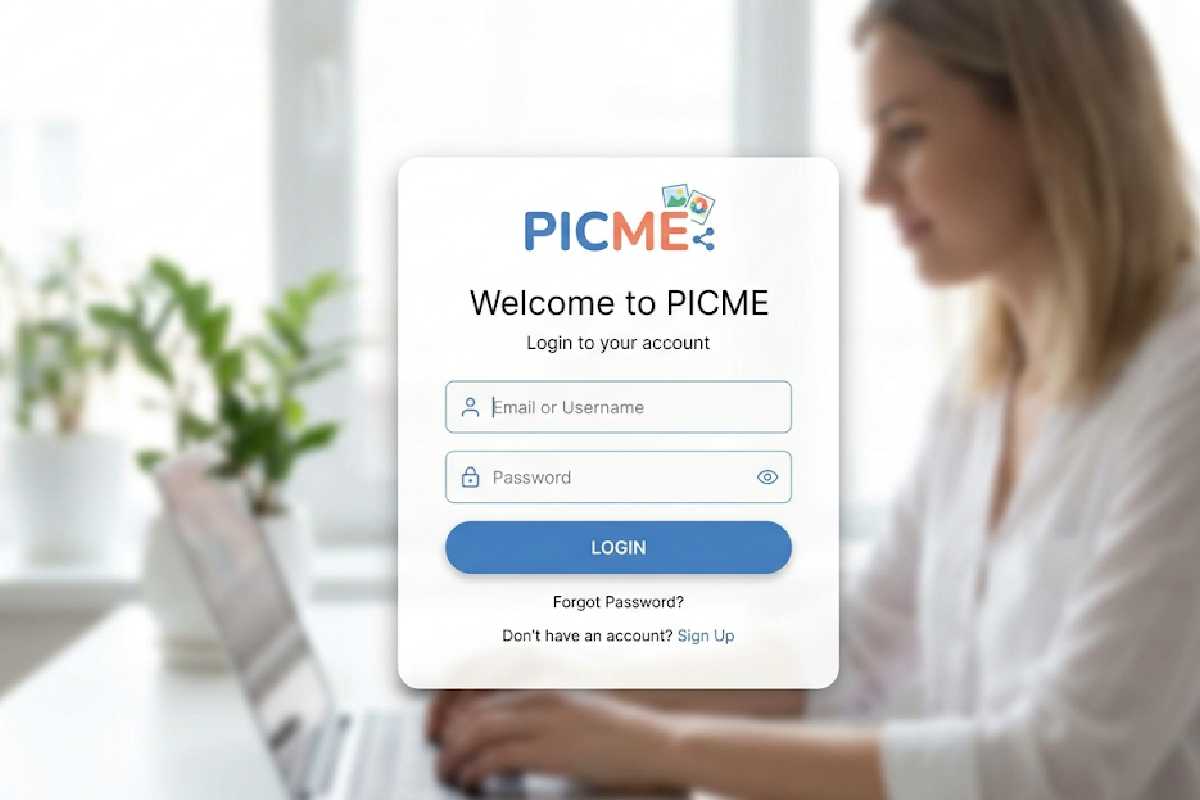


If you are looking for picme login details then you’re probably looking for a quick login or just want to fix an annoying sign-in problem. If you are a new or recurring member, a smooth and secured sign-in process will let you enjoy all the benefits the platform offers. However, it is common for many users in India to face issues such as wrong password, delay in OTP or login page problem.
This guide will clear your doubts and simplify the whole process. You will find step-by-step details to log-in, recover account, how to keep the account secured etc in an easy-to-understand manner.
Table of Contents
What Is PICME?
PICME is an acronym for Pregnancy and Infant Cohort Monitoring and Evaluation. It is Tamil Nadu’s own registration system for all pregnant women, their status during pregnancy and until and after delivery.
The entire rationale behind it is simply that if you are in the system, then local healthcare providers can track your pregnancy, manage your antenatal visits and make an intervention when necessary. It is not a paper process but the public healthcare system tracking you.
What Is PicMe Login?

A PicMe login is the method you use to log into your own PicMe account through a unique username/e-mail or e-mail ID and password. When logged into the PicMe website, you would then be able to…
- Use your personalized PicMe dashboard
- View or manage PicMe
- Change your PicMe settings
- Utilize its various features
In short, it’s like a door to the customized experiences and the saved information provided by PicMe. You wouldn’t be able to reach this customized content or save new information if you aren’t logged in.
A typical PicMe login consists of the following stages…
- Entering your registered PicMe username/e-mail ID
- Typing in your password
- Performing authentication of account (either through OTP or CAPTCHA if need be)
- Accessing your account.
There’s a reason why maintaining a reliable, and accurate login is critical, both for you and for your data on the Internet.
Why PICME Registration?
The main benefit of PICME registration is that it creates a 12-digit RCH ID for you. This ID helps in linking up the pregnancy registration with your baby’s birth registration in Tamil Nadu. Without a correct RCH ID, registering the birth might be problematic.
It also ensures you begin to receive care and follow-up from your VHN or UHN early. This is particularly crucial for high-risk pregnancies. Lastly, it’s the way to register yourself if you are eligible for the state maternity benefits.
Documents You’ll Need for picme registration
| Document Type | Purpose | Mandatory / Optional | Accepted Formats | Notes / Tips |
| Mobile Number | Account verification (OTP) | Mandatory | A working Indian Mobile Number | Needs to be able to receive OTP for verification |
| Email Address | Account creation & recovery | Mandatory | Working Email Id | Use an email address used often |
| Username | Unique account identification | Mandatory | Contains alpha numeric characters. Minimum 8 characters | Use an easily remembered username which is not over used |
| Password | Account security | Mandatory | JPG,PNG images | Combine use of numbers, symbols and letters |
| Profile Photo | User identification / profile configuration | Optional | Aadhar card /PAN Card/Driving License etc. | Make sure it is not offensive or vulgar |
| ID Proof (if required) | Identification of individuals | Optional* | Date in DD/MM/YYYY format | Only required for security / validation |
| Date of Birth | Age verification | Mandatory | City / State | Must adhere to the platform age guidelines |
| Location Details | Localization of a country/region | Optional | A working Indian Mobile Number | Used to tailor experience |
How to Do PICME Online Registration — Step by Step
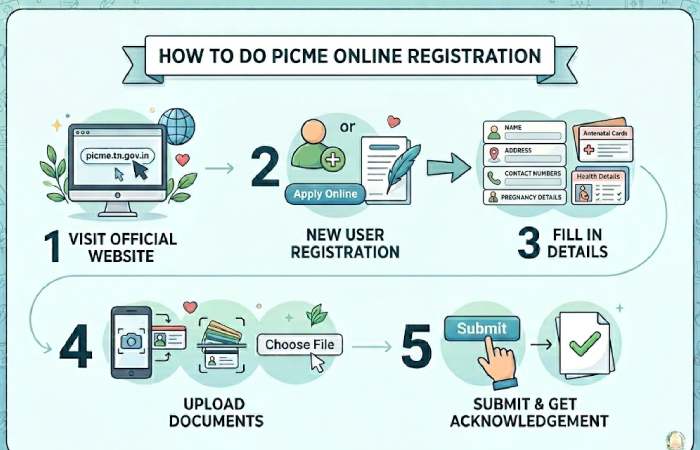
The picme online registration procedure is initiated with a basic pre-registration with the PICME portal. Following are the steps to get it done:
- Go to the PICME portal.
- Click on “Pre-registration by Public”.
- Enter your personal and pregnancy details.
- Enter the district and pin code.
- Enter the time slot when a visit by the Village Health Nurse would be preferred.
- Enter your mobile number and verify with OTP.
- Submit the form and take note of your pre-registration ID.
Following your pre-registration your assigned health nurse will come for verification and after completing this process, your 12-digit PICME Number (RCH ID) will be created.
This is it, it is indeed a really very simple process to do the pic me registration if you have the documents ready.
Benefits of PICME Registration
| Benefit | Description | Who It Helps Most | Key Advantage |
| Tracking Mother’s health | Tracks the progress of pregnancy and women’s health. | Pregnant women | Pre-identificataion of risk |
| PICME unique number | All registered mothers are given unique ID. | All registered users | Accessible in all hospital |
| Availabe of Government scheme | Women are covered under maternity benefit programs. | Low-income families | Financial aid during pregnancy |
| Support for Institutional Delivery | It promotes hospital delivery and traces progress of delivery. | Expecting mothers | Safer child birth delivery |
| Free Medical treatment | Pregnant women can avail of checkups, immunizations and treatment facilities. | Rural & urban women | Reduced health costs |
| Ongoing Health Checkups | Pregnant mothers are regularly visited by healthcare professionals. | High-risk pregnancies | Access to proper medical supervision |
| Connection with Health Center | Proper coordination between PHCs and govt. Hospitals. | Healthcare providers & patients | Efficient delivery of services |
| Lower risk of baby mortality | Timely intervention will increase the chance of newborn survival. | Newborns & mothers | Improved health results |
| Digital record | Keeps pregnancy records in online. | Government & users | Better access and monitoring over time |
| Information and advices | Provides health tips and counseling. | First-time mothers | More informed pregnancy decision |
How to Check PICME Registration Status
Once you have completed your pre-registration, you will be able to view the verification status in the PICME portal by your pre-registration ID. If verified you will have your RCH ID or next phase.
After two to three days if you are still viewing pending verification; it likely means the nurse has not yet verified you; please feel free to call your nearby primary health center or contact the nurse. You shouldn’t be passively waiting.
Contact and Support:
- 102 Helpline – for any generic PICME queries and support.
- PICME Helpdesk Email – for problems with portal and/or registration.
- Village Health Nurse / Urban Health Nurse – your first point of call for anything registration related.
Your Nearest Government Hospital or PHC- will be able to help you with manual/in person registration and with verification queries.
PicMe Login vs Competitors (India)
| Platform | Key Features | Pricing | Resource Link |
| PicMe | Media access, user panel | Free / Freemium | Official Site |
| ThumbTub | Entertainment & creator hub | Free | https://thumbtub.com |
| YouTube | Video streaming, earnings | Free / Premium | https://youtube.com |
| Vimeo | Pro video hosting | Paid plans | https://vimeo.com |
| Dailymotion | Video sharing service | Free | https://dailymotion.com |
Best Practices for Smooth Login Experience
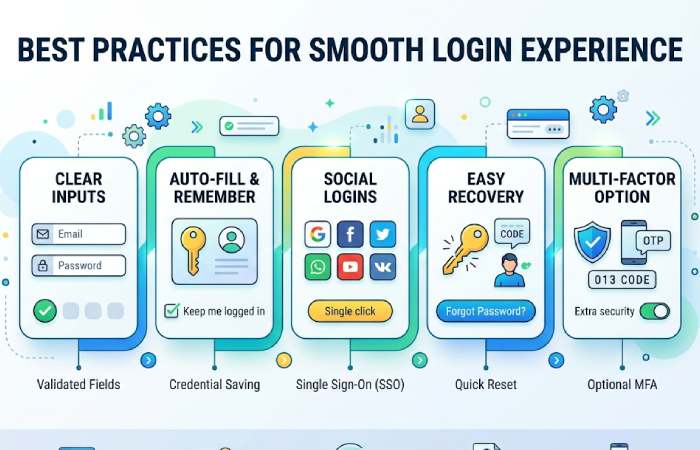
- Save the login page in your bookmarks.
- Maintain an updated version of the app or the web browser.
- Install a password manager on your system.
- Sign out from shared devices.
- Regularly change your password.
Why Users Face PicMe Login Problems
| Issue Category | Common Cause | What Happens to the User | Quick Fix / Solution |
| Incorrect Credentials | Incorrect username and/or password | There was a problem logging in | Please verify your details or re-set your password |
| Forgotten Password | User does not remember password | Your account is unavailable | Select “Forgot password?” option |
| Account Locked | Excessive number of failed login attempts | Temporary suspension of your account | Wait or reset password |
| Server Downtime | Server maintenance or server error | Could not access website/app | Try after sometime |
| Poor Internet Connection | Network speed/unstable network | There was an error opening the website/app (timeout or no response) | Please use a stable connection |
| Browser Issues | Cache/cookies or old browser | Login page isn’t working properly | Please clear the cache or update your browser |
| OTP Not Received | Delay or false contact information over network | Couldn’t verify you | Please resend the OTP or verify your contact number |
| Suspicious Activity Flag | Login from a new device/different location | Your account has been suspended temporarily | Please verify your identity or use an authenticated device |
| Disabled Account | Platform terms and conditions violation | denied permanently or temporarily access to the website/app | Please reach out to customer care |
| App Bugs/Glitches | App or software old | Login crashed or hung | Please update or re-install the application |
| VPN/Proxy Interference | VPN being used and not in the correct location | Your login was blocked or flagged | Turn off your VPN and please retry |
| Incorrect URL | Wrong login page/fake login page access | Login unsuccessful or a security risk | Please access the service only via our official website |
FAQs
- How do i log into picme?
Navigate to the official site, punch in your details, and perform verification if prompted.
- What if I have forgotten my pic me password?
Click on the forgot password option, and follow the steps on screen, which will ask to reset your password either via email, or an OTP.
- What if the PicMe login isn’t working?
Common errors would include using incorrect credentials, server related errors, or issues with your browser.
- Can i use PicMe in india without risk?
Yes, if you log on to the official web-site. However, be careful of public WiFi networks, and use them cautiously.
- Can I use PicMe from my mobile?
Yes, you can either log in from the browser, or if an application is released by the developer, you can download and use the official one.
Final Conclusion
Logging into your picme account is simple, but you can run into many common errors related to lost or incorrect login details, security concerns, and bugs if you’re not careful. In this guide we’ll show you how to get online quickly, solve many of the common issues, and stay logged into your picme account.
We highly recommend sticking to official sources, protecting your information, and keeping up to date with picme’s services to prevent problems.
Kashifa Jafar
Kashifa Jafar is a business and digital trends writer at Businessian with 4+ years of experience in content writing and digital publishing. She covers business, entrepreneurship, marketing, e-commerce, digital trends and practical topics that help readers better understand the changing business landscape.
View Author Profile →
Sameena Begum
Sameena Begum is a business and digital content reviewer at Businessian. She reviews selected content for clarity, organisation, consistency, readability and overall editorial quality.
View Reviewer Profile →