


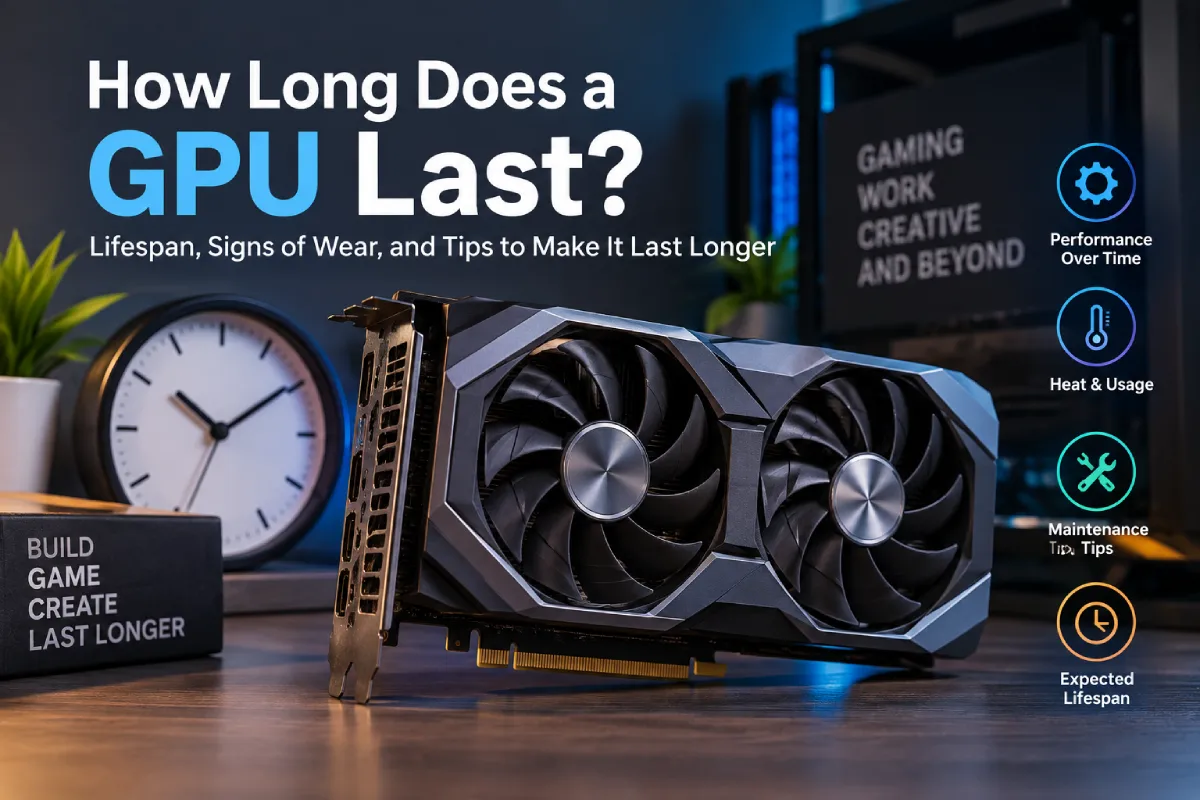


The useful answer to how long does a GPU last is not a universal number of months or years. A graphics card’s remaining useful life depends on how it has been cooled, powered, cleaned and monitored, as well as on its workload and individual condition. Two cards of the same model can reach very different outcomes when one operates in stable conditions and the other runs hot, dirty or unstable for long periods.
For an owner, the practical task is therefore condition management. Establish a baseline while the card is stable, watch for change, and act early on signals such as unusual fan noise, rising temperatures, artifacts or repeated crashes. That approach cannot guarantee a component will never fail, but it is far more useful than assuming every card has a fixed service-life clock.
Table of Contents
What actually ages in a graphics-card system?
A GPU is not one component. Its useful operation depends on the processor, memory, cooling system, power delivery, fans, connectors and the surrounding PC or rig. A fault in any one of these areas can make the whole card appear unreliable, so diagnosis should not begin with an assumption that the GPU chip itself has worn out.
| Area | Typical condition concern | Useful observation |
|---|---|---|
| Cooling fans | Dust, bearing wear, obstruction or inconsistent speed | New rattle, vibration, failure to start or uneven response |
| Heatsink and airflow | Restricted intake or retained heat around the card | Load temperatures rising from the established baseline |
| Memory and core operation | Instability under sustained workload | Artifacts, calculation errors, freezes or driver crashes |
| Power path | Loose connectors, unsuitable cabling or an overloaded supply | Instability linked to load changes or visible connector heat |
| Environment | High room temperature, dust, humidity or poor spacing | Problems that worsen at certain times of day or with adjacent cards active |
Heat is a signal to investigate, not a badge of prior use
Long workloads do not automatically destroy a graphics card. The more important issue is whether heat remains within the card’s intended operating range under the actual conditions in which it is used. Ambient temperature, case layout, intake restriction, fan health and power settings all influence that result. A card used for gaming, rendering or mining may be well maintained; a lightly used card may still be in poor condition if it spent its life in a dusty, badly ventilated enclosure.
Build a baseline before trying to optimise anything. Record the workload, room conditions, observed temperature behaviour, fan response, clock behaviour and any errors while the system is known to be stable. Recheck after a change in season, configuration, location or workload. The goal is not to chase a number from another person’s system; it is to detect a meaningful change in your own.
A simple condition log makes diagnosis faster
| Record | How often to capture it | Why it helps |
|---|---|---|
| Load temperature and fan behaviour | At baseline and after environment or configuration changes | Shows gradual cooling deterioration before a shutdown |
| Error or crash occurrence | Whenever it happens, with timestamp and workload | Separates a one-off software issue from a recurring pattern |
| Cleaning and inspection date | On a planned routine appropriate to the environment | Prevents “last cleaned sometime ago” from becoming the maintenance record |
| Power or cabling changes | Every time a component is moved or replaced | Preserves context for later instability |
| Configuration changes | Before and after a clock, voltage or workload adjustment | Helps identify which change introduced a problem |
The log can be a simple spreadsheet or maintenance ticket system. Its value is in connecting a symptom to a change. Without it, owners often change several settings at once and lose the ability to tell whether the card became more stable or merely behaved differently for a day.
Maintenance routine for a card under sustained load
- Inspect before cleaning. Power down safely, look for dust accumulation, blocked intakes, cable strain and fan condition. Do not treat cleaning as an excuse to disturb components without a reason.
- Keep airflow clear. Remove dust using a method appropriate to the equipment and avoid spinning fans aggressively with uncontrolled air. Ensure the surrounding enclosure has a usable intake and exhaust path.
- Prefer stable settings. A setting that produces the highest short benchmark result is not automatically the right setting for continuous work. Stability, temperatures and power behaviour matter more than a peak screenshot.
- Check after each material change. New drivers, a new workload, room-temperature shifts, repasted cooling or different power settings all warrant a fresh observation period.
- Stop and investigate meaningful errors. Repeated artifacts, system crashes, abnormal fan behaviour or unexpected temperature movement deserve diagnosis before prolonged stress testing continues.
How to interpret common warning signs
Not every warning sign proves hardware failure. A crash may be software, a cable issue, an overloaded power supply or a setting that is too aggressive. The disciplined approach is to make one controlled change, retest the same workload, and record the result. Replacing parts at random can be more expensive than the original problem.
| Observed signal | First checks | Reasonable next step |
|---|---|---|
| Fan noise or failure to start | Obstruction, dust, physical damage and response under load | Inspect cooling promptly; avoid sustained hot operation until resolved |
| Higher temperature than baseline | Room temperature, airflow, dust and recent configuration changes | Restore a stable configuration and inspect cooling path |
| Artifacts or display irregularities | Repeatability, driver context, workload and other system changes | Stop high-stress use and isolate the cause before assuming the card is sound |
| Driver resets or crashes | Error messages, settings, power path and workload pattern | Return to a known stable configuration and test systematically |
| Unexpected performance drop | Temperature, throttling behaviour, workload version and background load | Compare to the recorded baseline rather than to an online claim |
Buying a used GPU: assess condition, not a label
“Never mined” and “used for mining” are incomplete descriptions. A used card should be evaluated on evidence of current condition and the seller’s ability to show it operates reliably. Ask for clear photos, a recent controlled test, observed temperatures under the stated workload, fan behaviour and any remaining warranty information. A consistent account history and a return process may matter more than an unverifiable story about previous use.
When inspecting a used card, also budget for the possibility that maintenance will be required. The appropriate response to uncertainty is not certainty-by-assumption. It is a lower price, an inspection window, a repair reserve or a decision to choose a different unit.
When replacement becomes the better choice
Replacement is not triggered by age alone. It becomes sensible when the card no longer performs its required job reliably, repair cost and downtime outweigh its remaining value, or its power and operating characteristics make a newer option materially more suitable. A functioning older card can still have a role in a less demanding task; an unreliable card that repeatedly interrupts work is not automatically made economical by keeping it in service.
Conclusion
A GPU lasts longer when its heat, power and cooling are managed as an operating system. Establish a baseline, inspect regularly, use stable settings and respond to small changes before they become outages. That is a better method for protecting useful life than relying on a generic lifespan figure.
Kashifa Jafar
Kashifa Jafar is a business and digital trends writer at Businessian with 4+ years of experience in content writing and digital publishing. She covers business, entrepreneurship, marketing, e-commerce, digital trends and practical topics that help readers better understand the changing business landscape.
View Author Profile →
Sameena Begum
Sameena Begum is a business and digital content reviewer at Businessian. She reviews selected content for clarity, organisation, consistency, readability and overall editorial quality.
View Reviewer Profile →